Booking page
Customers choose what to book and a date, see the free times, and send a request with their name, email, and phone. No account, no password.
- No account needed
- Booking types
- My booking page


Products / Room booking & scheduling software
 Spareslot
 is online booking and weekly scheduling for venues that rent out rooms. Customers book a free slot without an account; staff see every room, class, and booking on one calendar.
Who it is for
Venues that share several rooms between weekly classes, regular rehearsals, and one-off bookings, and take those bookings by phone, messages, and spreadsheets today.
How it flows
The customer chooses what to book, for example a 2-hour rehearsal.
Only times inside opening hours, outside days off, with a room free, are shown.
Name, email, and phone. No account; an email link confirms the address.
Staff accept with a room and a responsible person, or reject with a reason.
The booking joins the shared calendar, and the customer is emailed at every step.
What it covers
Built around one idea: a venue is several rooms, and the value is in the gaps.
Customers choose what to book and a date, see the free times, and send a request with their name, email, and phone. No account, no password.
Opening hours, days off, weekly classes, existing bookings, and the buffer between them are checked across all rooms, and checked again when the request is sent.
Each request waits for review. Accept it with a room and a responsible person or reject it with a reason; later edit the time, cancel, reopen, or message the customer.
Bookings, classes, and regular rehearsals together by week, two weeks, or month, each with its room. Export to Google, Apple, or Outlook Calendar, or to CSV.
Enter each weekly class or regular rehearsal once, with its room and date range. Those hours are never offered to the public. Cancel a single date and tell the contact by email.
Closures for a few hours or a few weeks, plus the country’s public holidays in one click. A closure over existing bookings cancels them only after you confirm, and emails each customer.
Automatic emails when a request is received, accepted, rejected, changed, or cancelled. Messages are queued and retried if the email service is down, with a log of everything sent.
The booking page carries the venue’s name, logo, font, and colours, in light and dark. Every text on the page and in the emails can be edited, in every language.
Inside the application
Captured from a demo venue with made-up names. No customer data is shown.
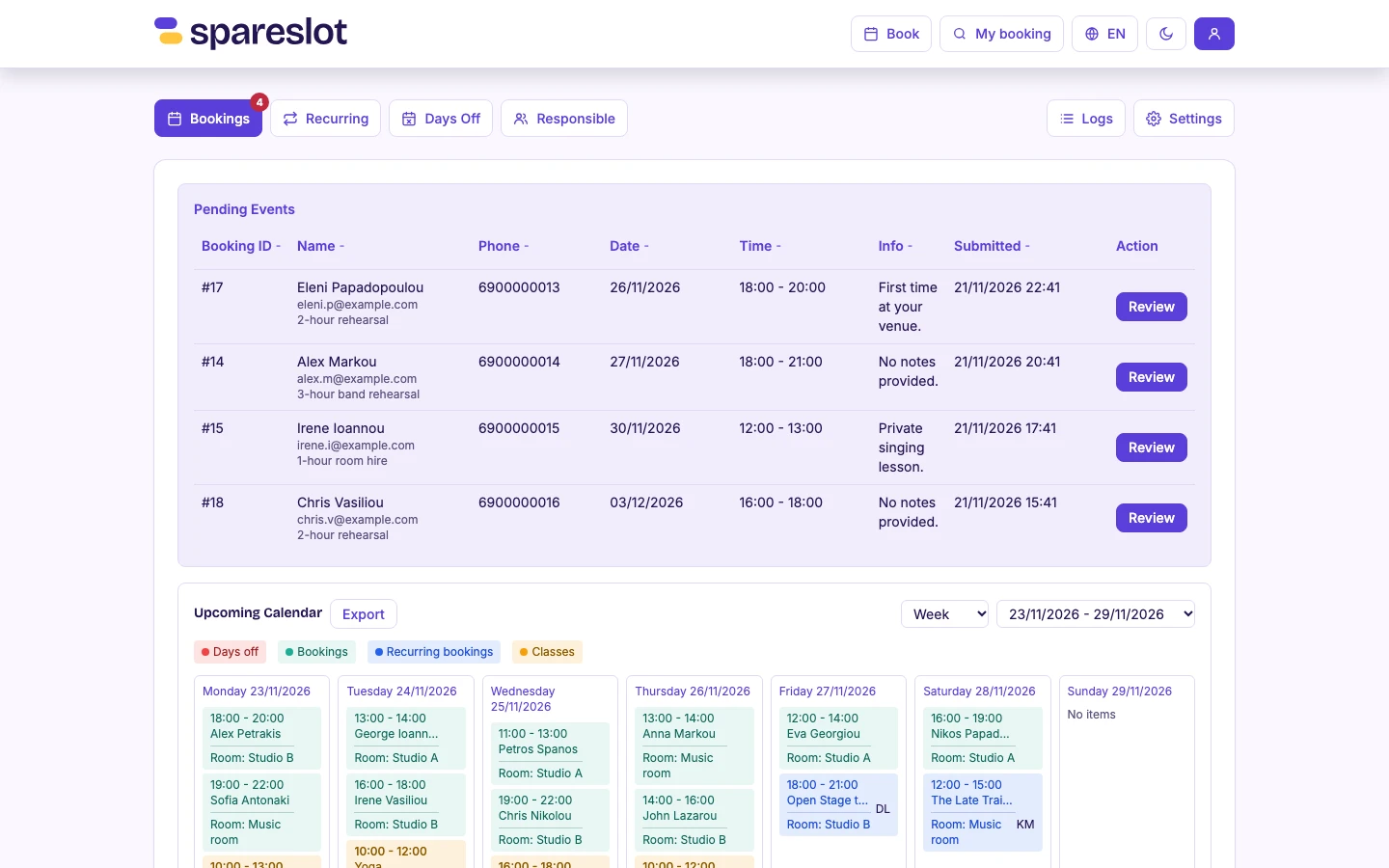
RequestsPending requests waiting for review, above the week’s calendar.
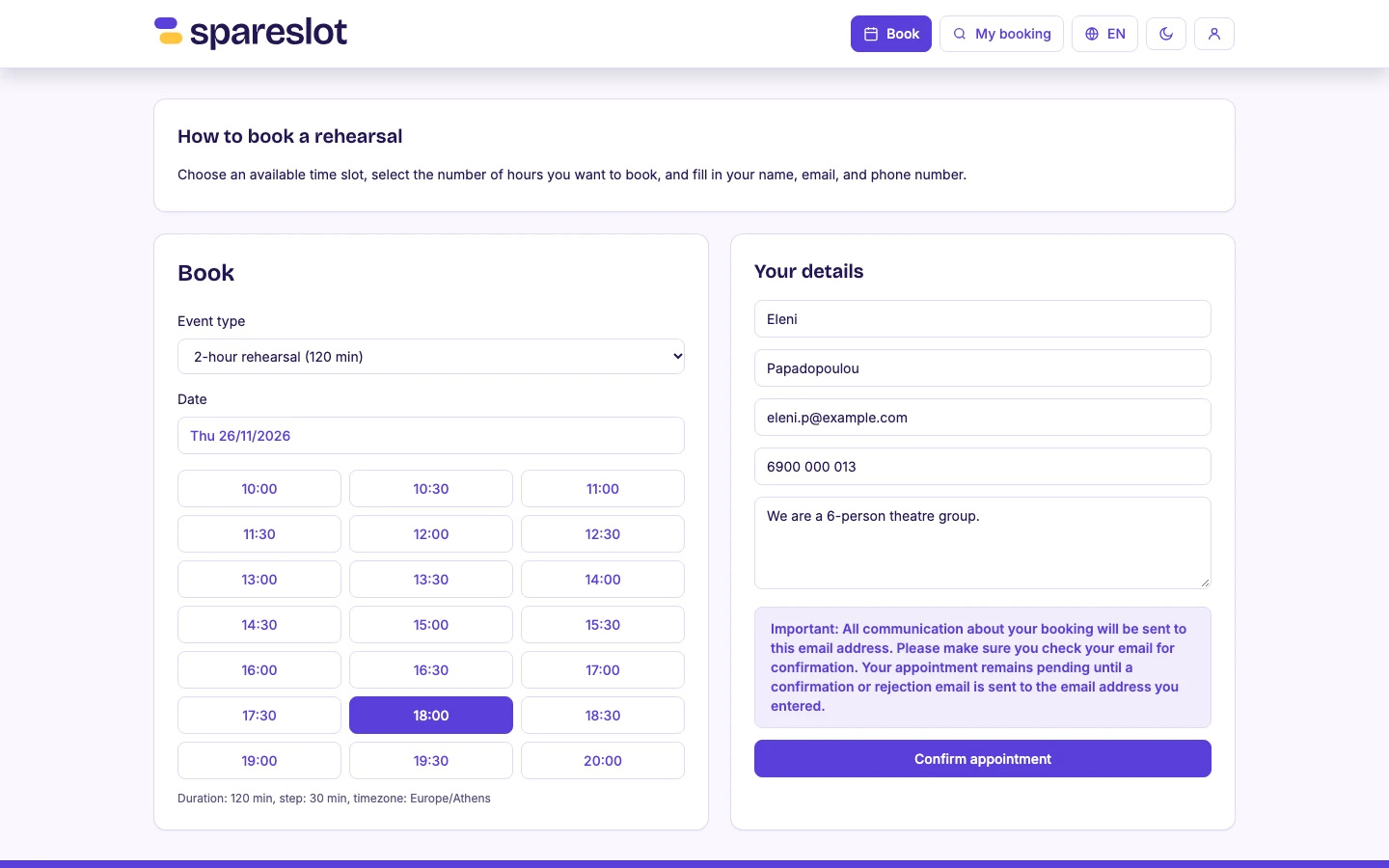
Booking pageA customer picks a booking type, a date, and a free time, then adds their details. No account.
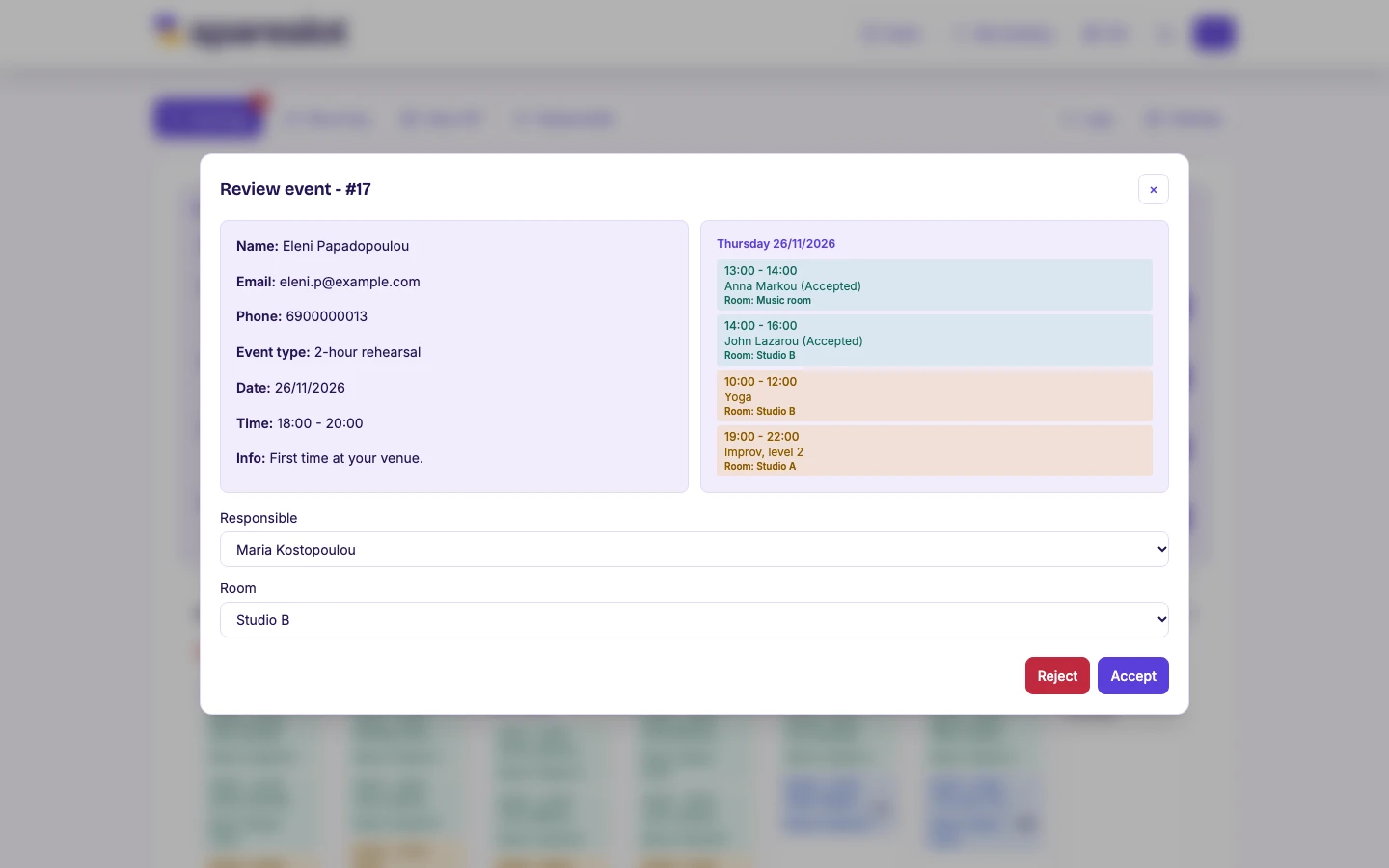
ReviewAccepting a request with a responsible person and a room, with the rest of that day alongside.
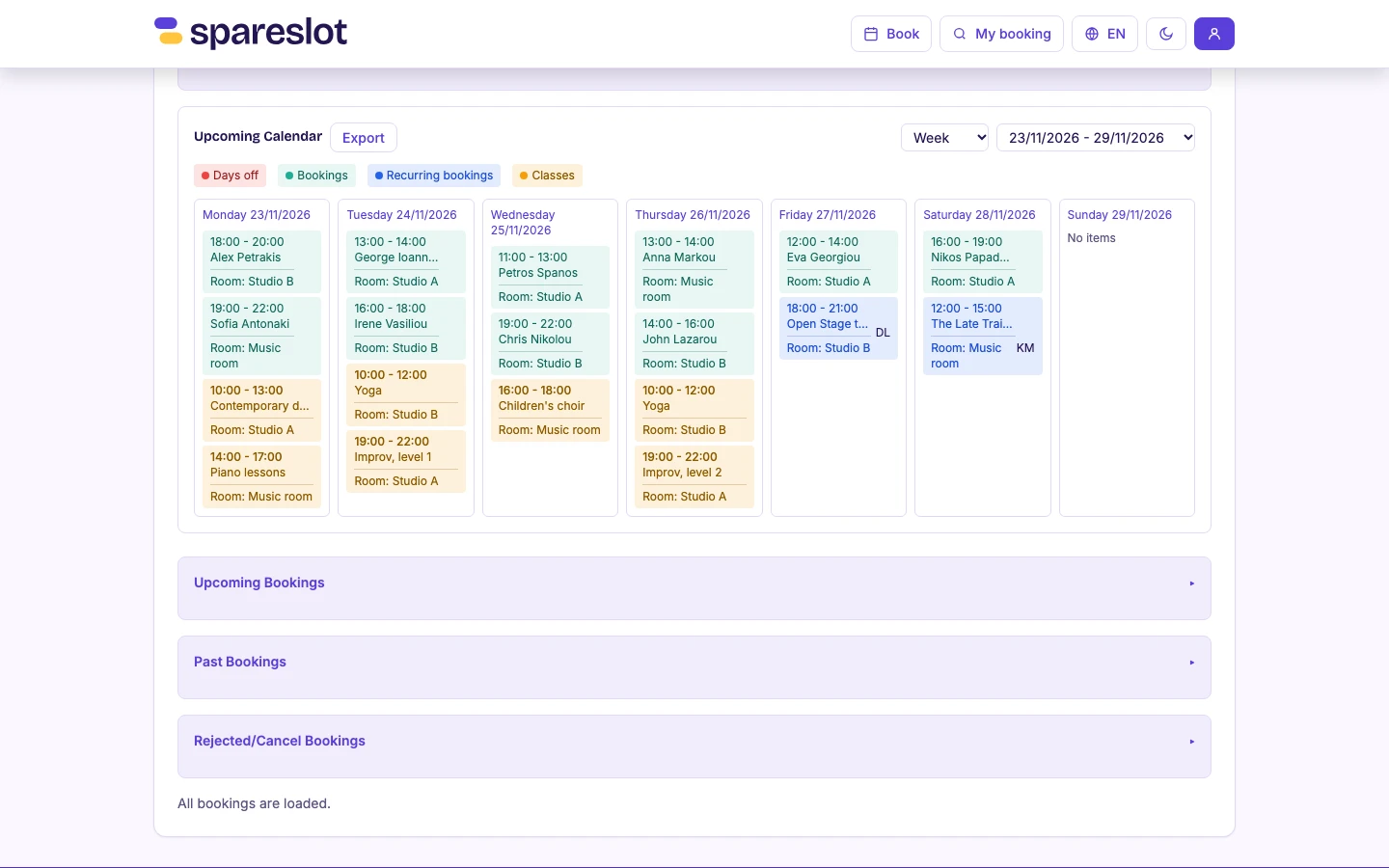
CalendarA week of bookings, weekly classes, and regular rehearsals, each with its room.
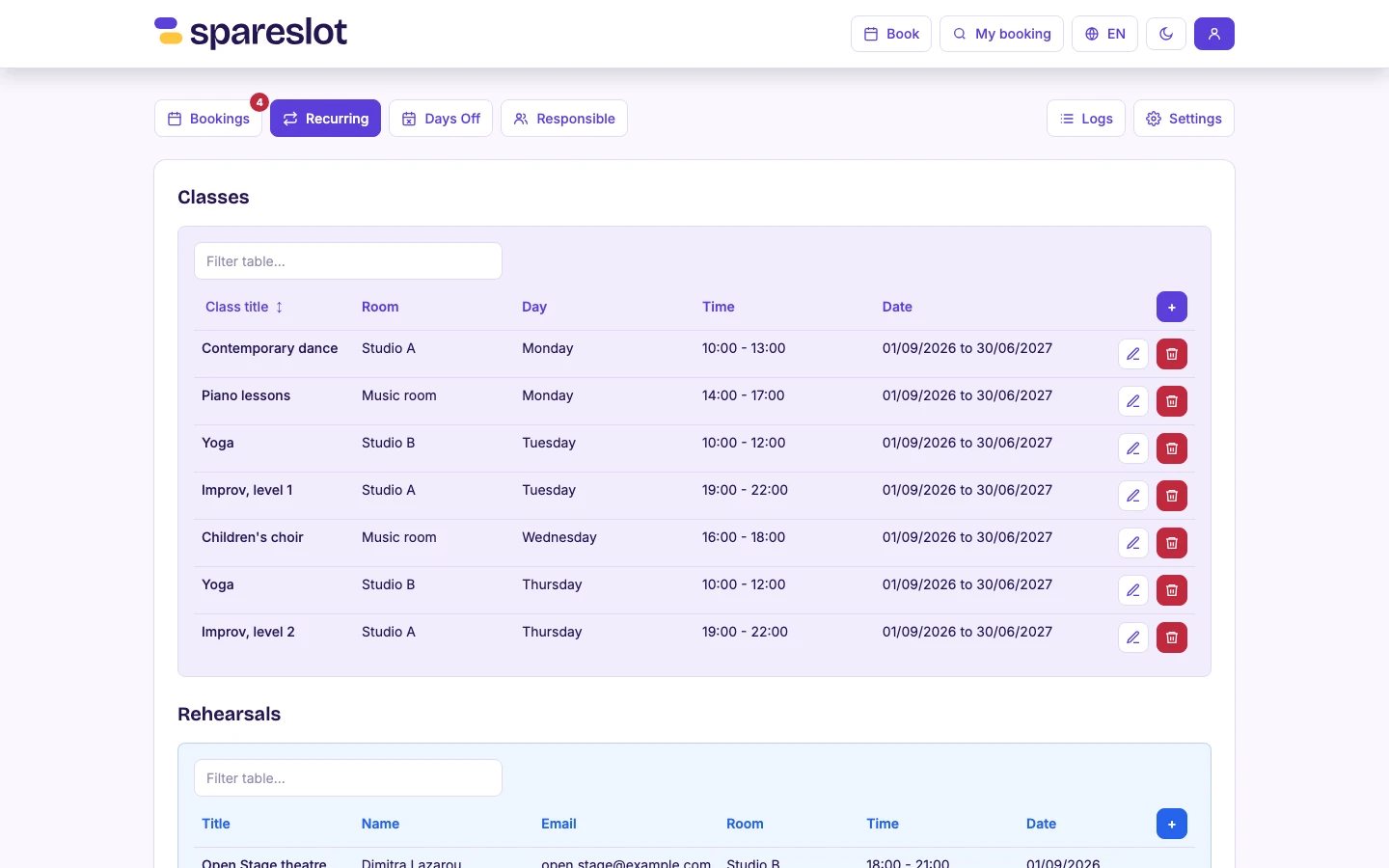
Classes & rehearsalsWeekly classes per room, with their day, time, and date range.
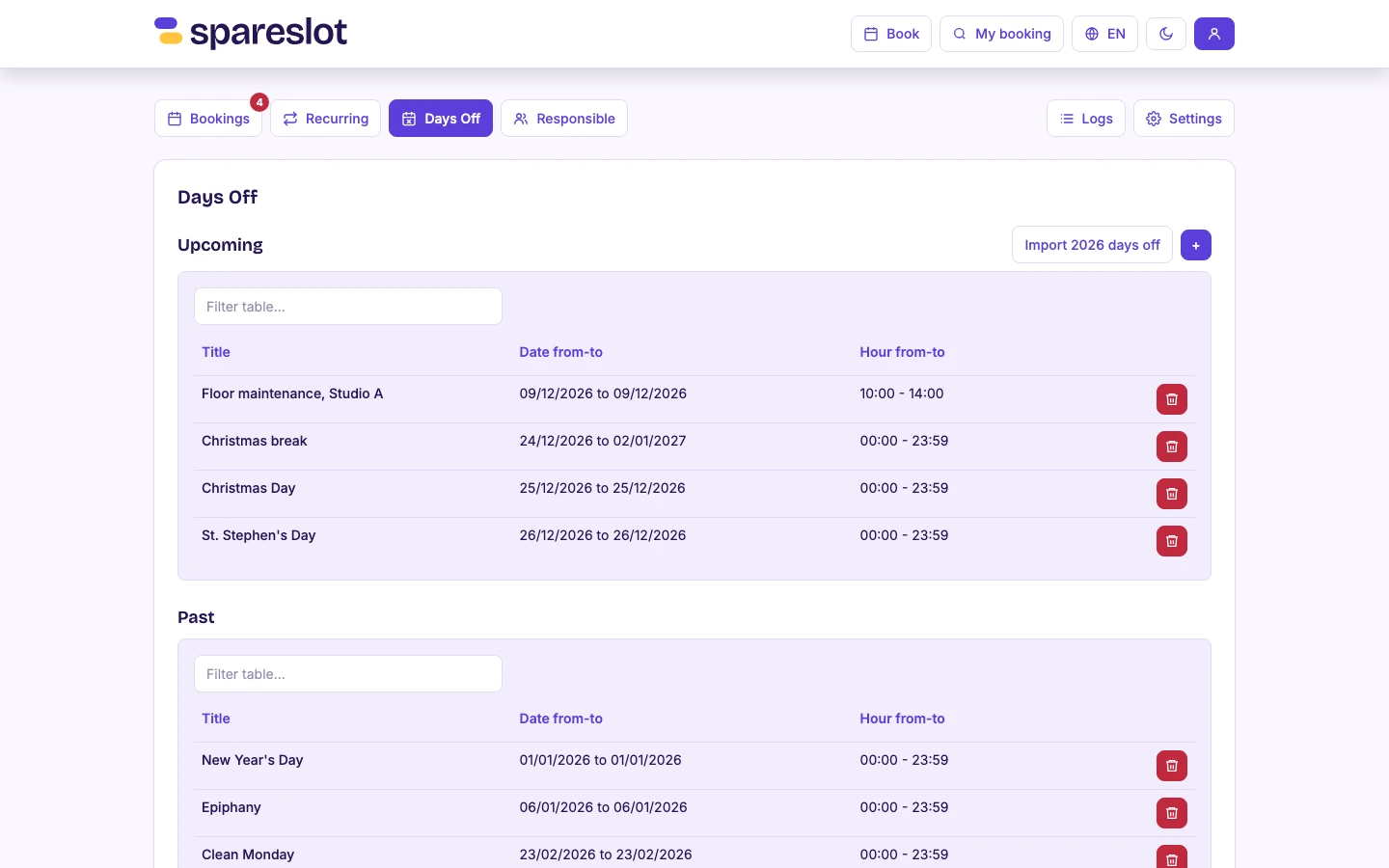
Days offClosures and the public holidays imported for the year.
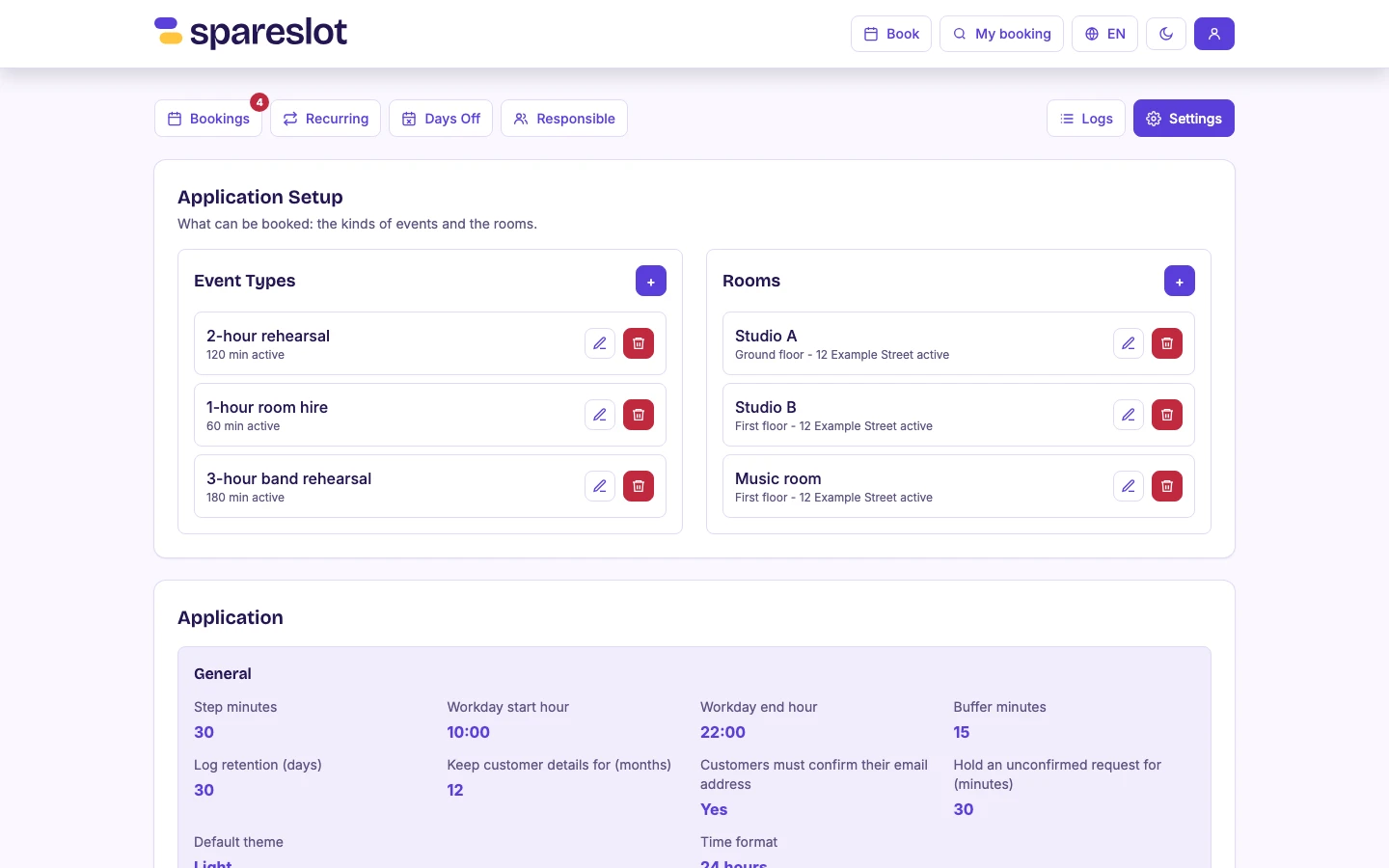
Booking types & roomsWhat can be booked, the rooms, and the opening hours and buffer between bookings.
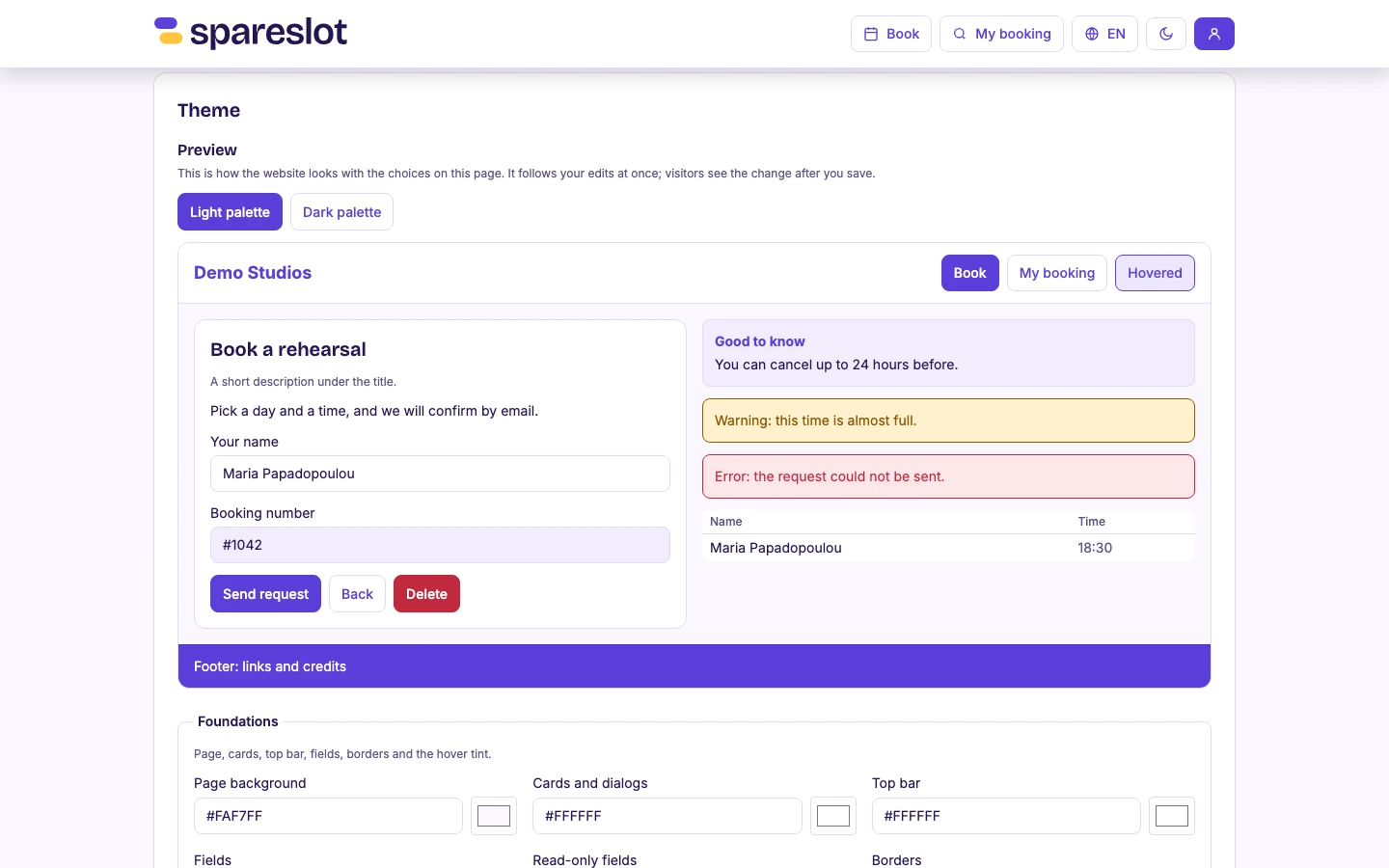
Your brandThe theme editor, with a live preview of the booking page.
Platform
Managers run the daily work; owners also manage settings, rooms, staff, and texts.
A history of every booking: who did what, and when.
Email confirmation and a Cloudflare check keep fake requests out.
Customer details are removed 12 months after a booking ends, or sooner on request.
Each venue runs on its own installation and database, set up and hosted for you.
A user guide for the team inside the dashboard, in Greek and English.
Why we built it
Spareslot grew out of the room-aware booking platform described in our Calendar Booking case study. It started as the in-house booking tool of a venue in Athens, which still runs its rooms, weekly classes, and rehearsals on it.
Read the case studySpareslot
A short call with your timetable, and an honest answer about whether Spareslot fits your venue. Demos and pricing are handled on spareslot.app.